
Accessible Illustration System for Cisco IT
Accessible Illustration System for Cisco IT
Accessible Illustration System for Cisco IT
Overview
I developed an accessible illustration design system for Cisco IT, improving clarity and consistency across empty and error states while supporting both light and dark themes.
Overview
I developed an accessible illustration design system for Cisco IT, improving clarity and consistency across empty and error states while supporting both light and dark themes.
Role
Role
Product designer,
systems designer,
illustrator
Product designer,
systems designer,
illustrator
Focus
Focus
UX strategy → system design →
illustration → accessibility
UX strategy → system design →
illustration → accessibility
Goal
Goal
Create a unified, scalable,
accessible visual framework
for key product states
Create a unified, scalable,
accessible visual framework
for key product states

Overview
I developed an accessible illustration design system for Cisco IT, improving clarity and consistency across empty and error states while supporting both light and dark themes.
Role
Product designer,
systems designer,
illustrator
Focus
UX strategy → system design →
illustration → accessibility
Goal
Create a unified, scalable,
accessible visual framework
for key product states
Problem
Cisco IT products handled empty + error states inconsistently.
Users lacked clarity, and product teams lacked guidance.
No cohesive system across product teams
Accessibility + contrast standards were not consistently met
Visuals didn’t always align to Cisco’s brand regulations
Designers needed reusable, scalable patterns
This created confusion for users and inefficiency for teams.
Problem
Cisco IT products handled empty + error states inconsistently. Users lacked clarity, and product teams lacked guidance.
No cohesive system across product teams
Accessibility + contrast standards were not consistently met
Visuals didn’t always align to Cisco’s brand regulations
Designers needed reusable,
scalable patterns
This created confusion for users and inefficiency for teams.
Problem
Cisco IT products handled empty + error states inconsistently. Users lacked clarity, and product teams lacked guidance.
No cohesive system across product teams
Accessibility + contrast standards were not consistently met
Visuals didn’t always align to Cisco’s brand regulations
Designers needed reusable, scalable patterns
This created confusion for users and inefficiency for teams.
Cisco IT products handled empty + error states inconsistently. Users lacked clarity, and product teams lacked guidance.
No cohesive system across product teams
Accessibility + contrast standards were not consistently met
Visuals didn’t always align to Cisco’s brand regulations
Designers needed reusable, scalable patterns
This created confusion for users and inefficiency for teams.
Problem
Approach
Design a system, not just illustrations.
Strategy
Reduce cognitive load
Understand real use cases and UX needs
Align strictly to Cisco brand + accessibility standards
Build something flexible, scalable,
and repeatable
Strategy
Audited existing product states
Researched best-practice illustration systems
Collaborated with design partners
Created a structured, testable framework
Approach
Design a system, not just illustrations.
Strategy
Understand real use cases and UX needs
Align strictly to Cisco brand + accessibility standards
Build something flexible, scalable, and repeatable
What I did
Audited existing product states
Researched best-practice illustration systems
Collaborated with design partners
Created a structured, testable framework
Approach
Design a system, not just illustrations.
Understanding the Need
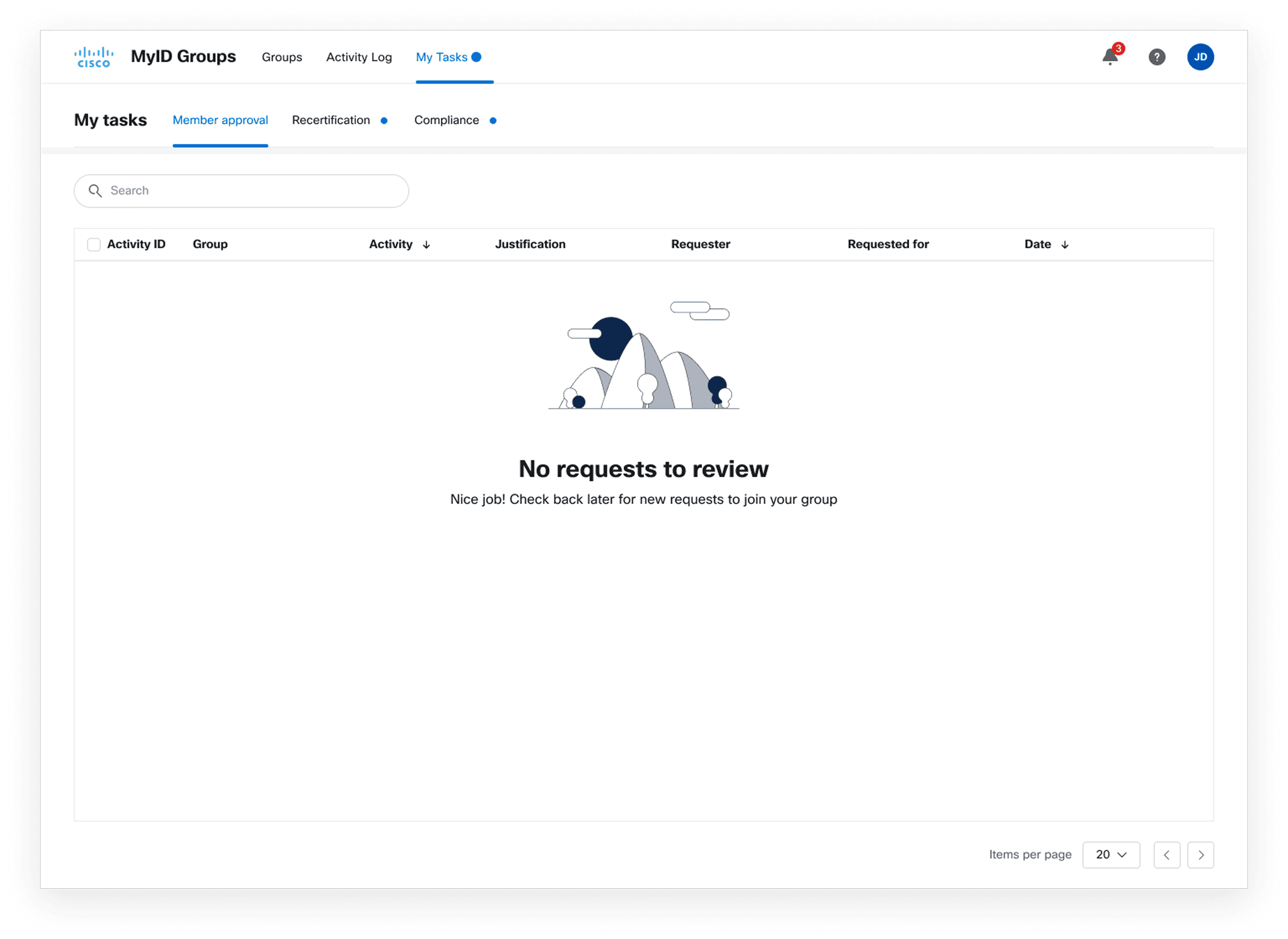
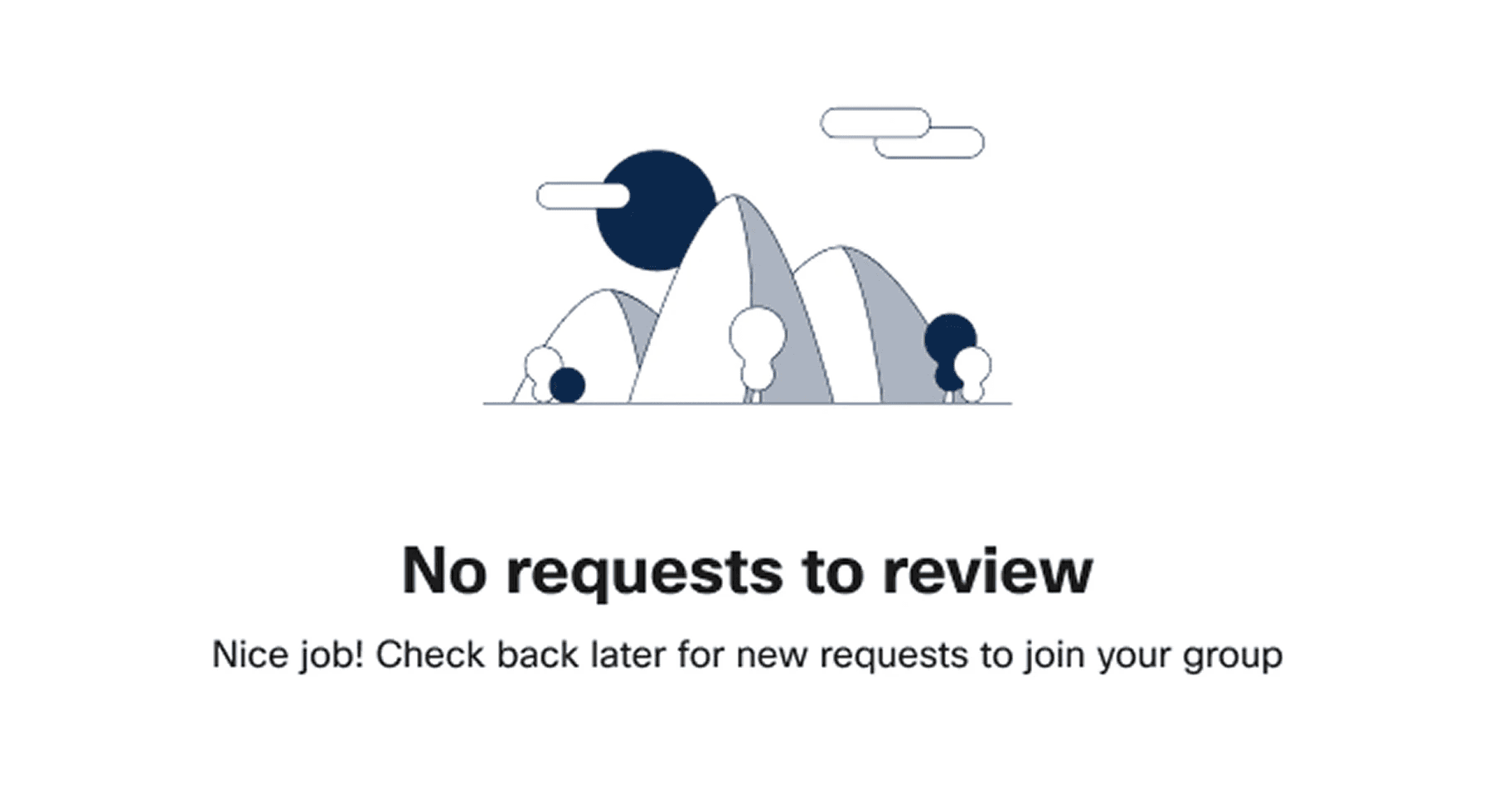
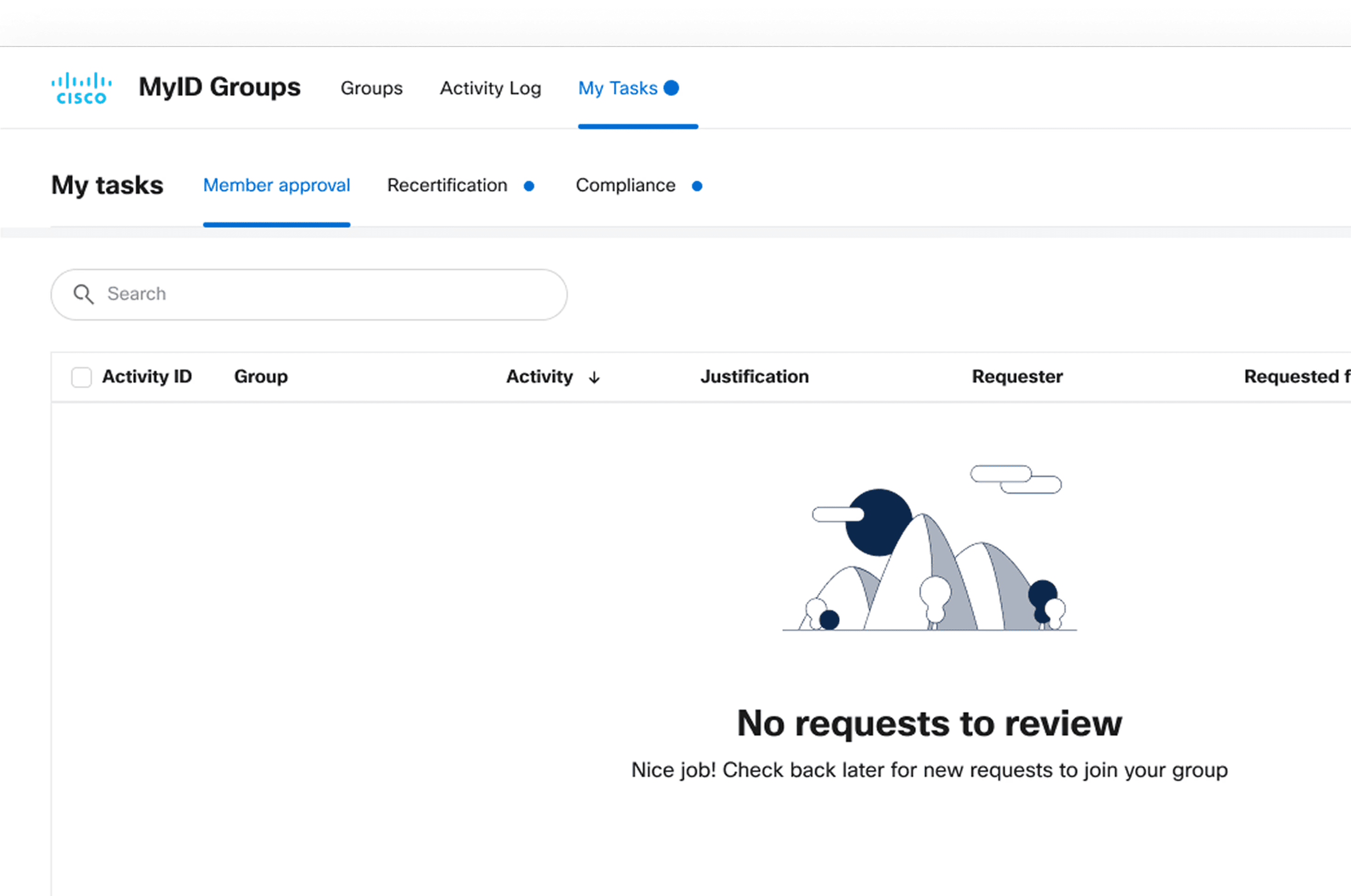
I first identified gaps in Cisco IT’s handling of empty and error states and mapped real scenarios where illustrations would appear. I partnered with designers to review common use cases and researched best-practice approaches across other design systems.
Key considerations
Accessibility for all users
Brand alignment + compliance
Simplifying complex ideas into intuitive visuals
Understanding the need
I first identified gaps in Cisco IT’s handling of empty and error states and mapped real scenarios where illustrations would appear. I partnered with designers to review common use cases and researched best-practice approaches across other design systems.
Key considerations
Accessibility for all users
Brand alignment + compliance
Simplifying complex ideas into intuitive visuals
Understanding the need
I first identified gaps in Cisco IT’s handling of empty and error states and mapped real scenarios where illustrations would appear. I partnered with designers to review common use cases and researched best-practice approaches across other design systems.
Key considerations
Accessibility for all users
Brand alignment + compliance
Simplifying complex ideas into intuitive visuals
Building on brand guidelines
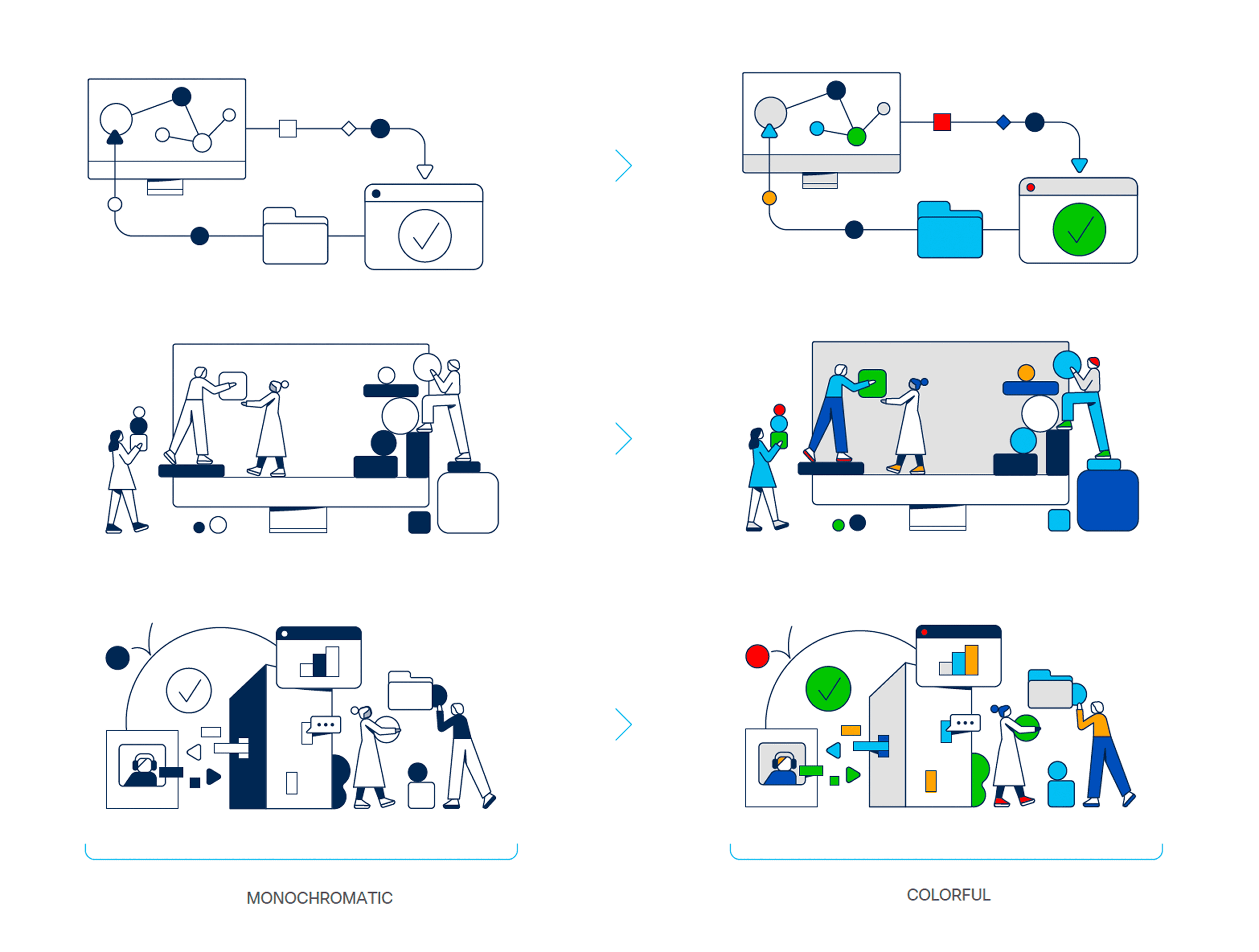
Rather than creating a completely new style in isolation, I extended Cisco’s existing illustration system.
I evaluated:
Shape + corner language
Line weight + stroke consistency
Color structure + contrast
Perspective + simplicity rules
This ensured the system felt native to Cisco, not competing with it.
Building on brand guidelines
Rather than creating a completely new style in isolation,
I extended Cisco’s existing illustration system.
I evaulated:
Shape + corner language
Line weight + stroke consistency
Color structure + contrast
Perspective + simplicity rules
This ensured the system felt native to Cisco, not competing with it.
Building on brand guidelines
Rather than creating a completely new style in isolation, I extended Cisco’s existing illustration system.
I evaluated:
Shape + corner language
Line weight + stroke consistency
Color structure + contrast
Perspective + simplicity rules
This ensured the system felt native to Cisco, not competing with it.
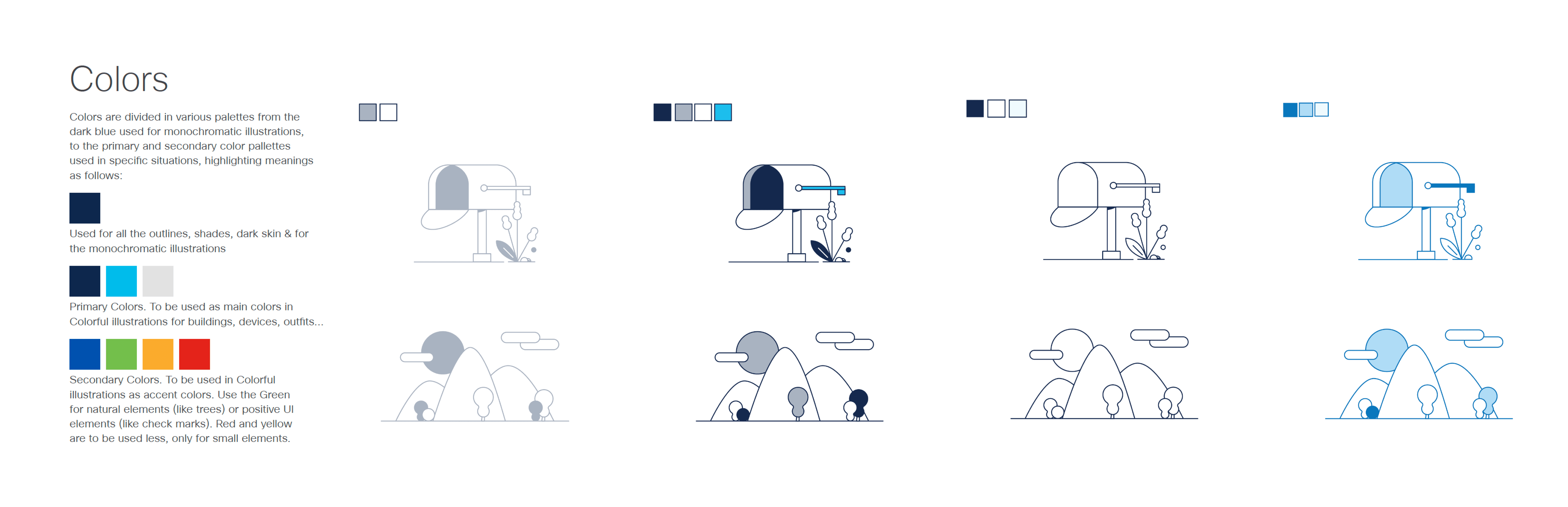
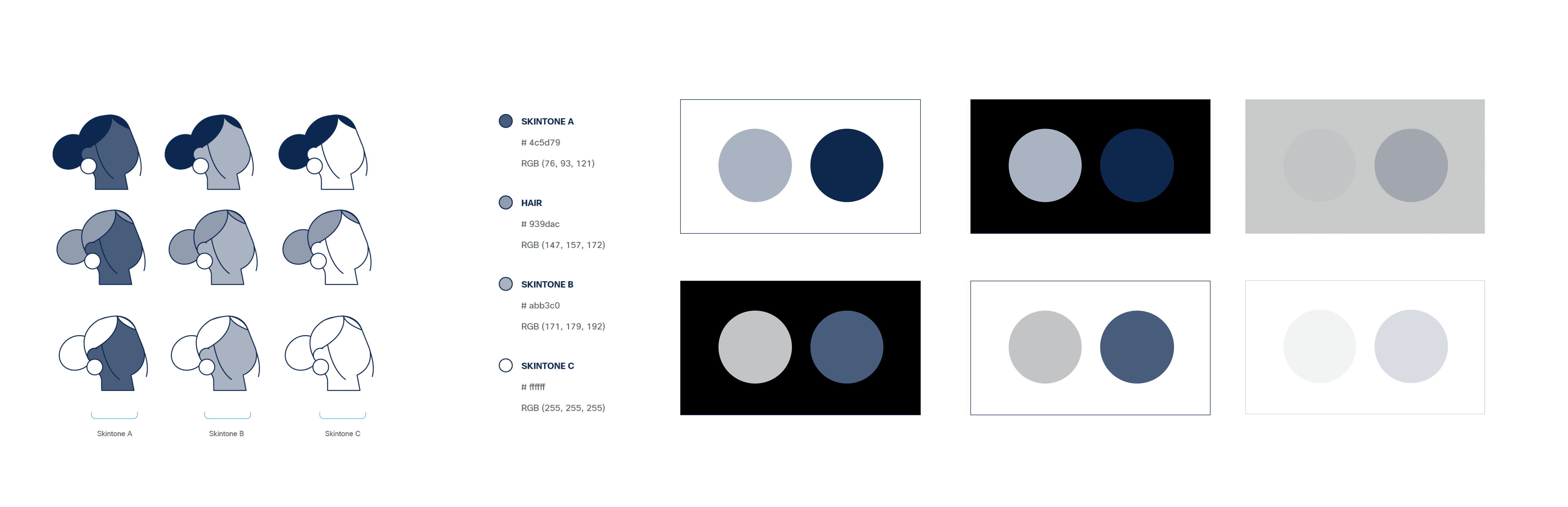
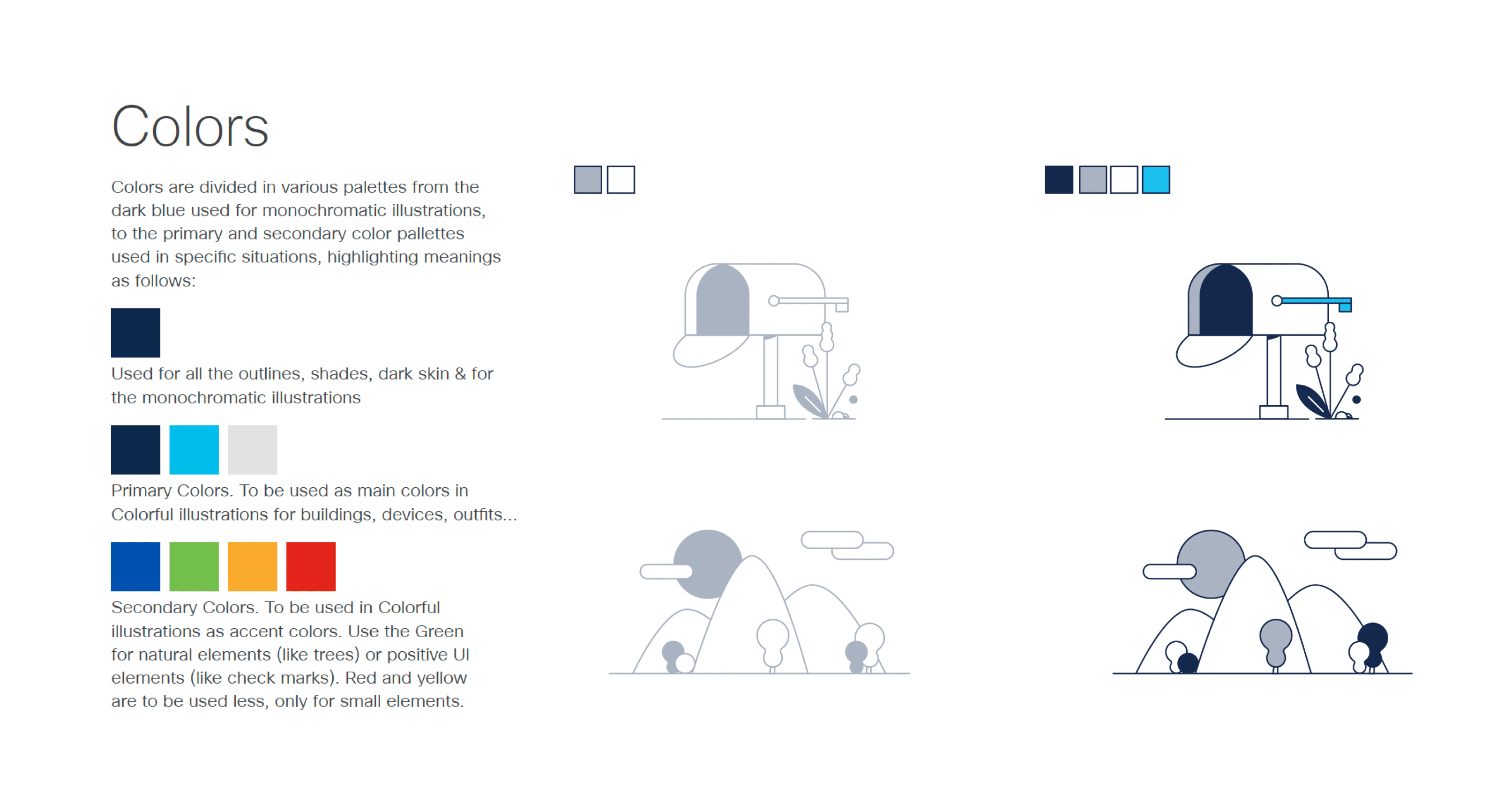
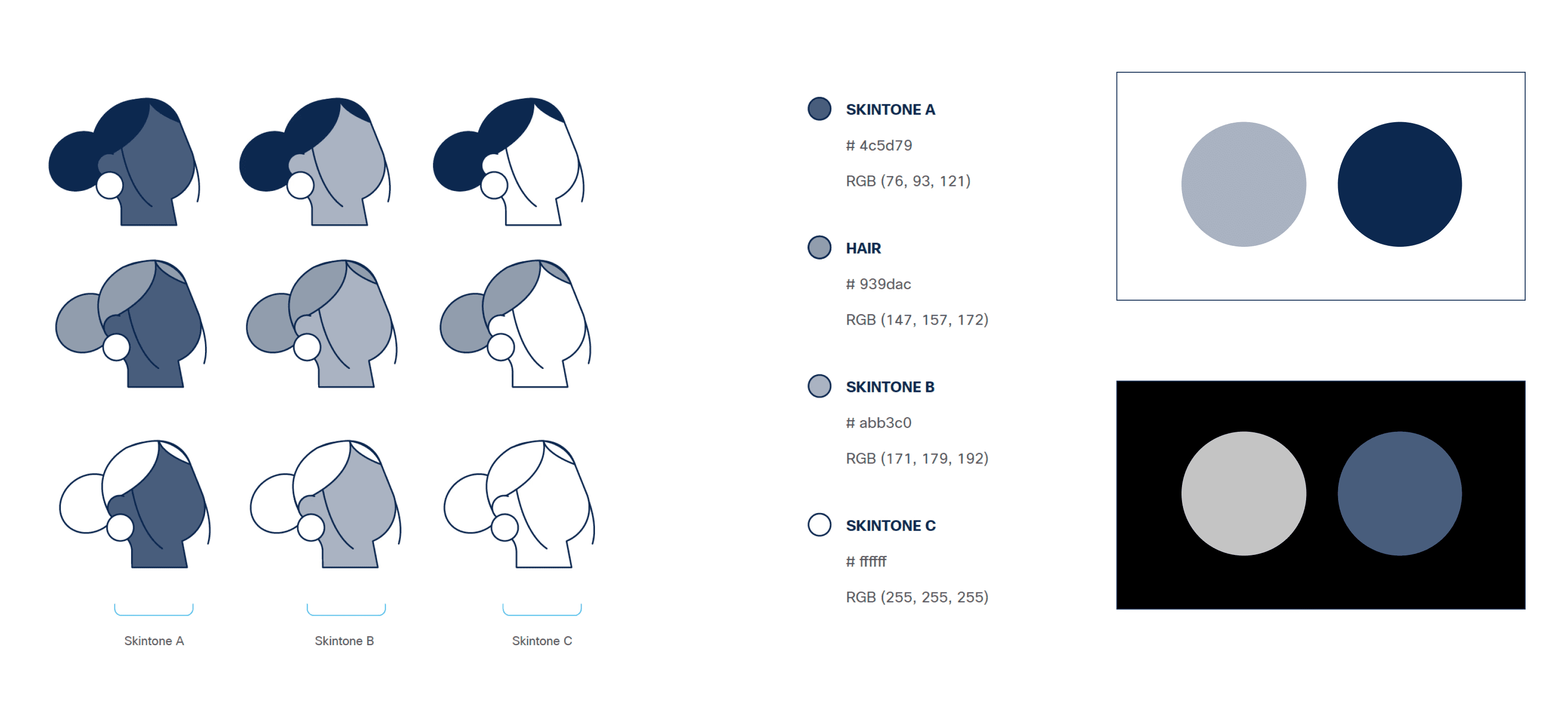
Color & Accessibility
I defined color usage specifically for empty/error states to ensure:
Strong contrast in both light + dark themes
Consistency across all Cisco products
Compliance with accessibility standards
Light & dark palettes were tested and validated for visibility and clarity.

Color & Accessibility
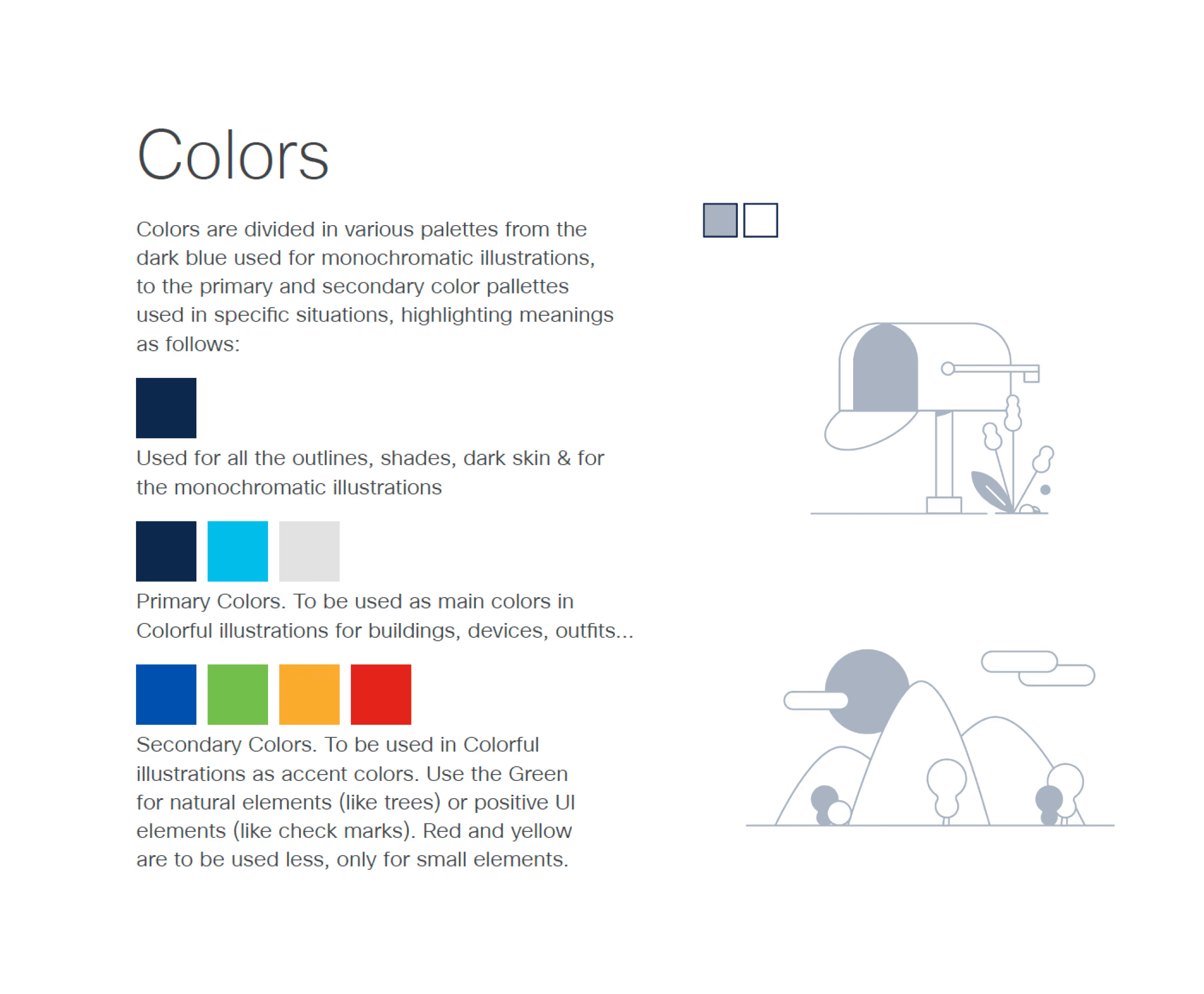
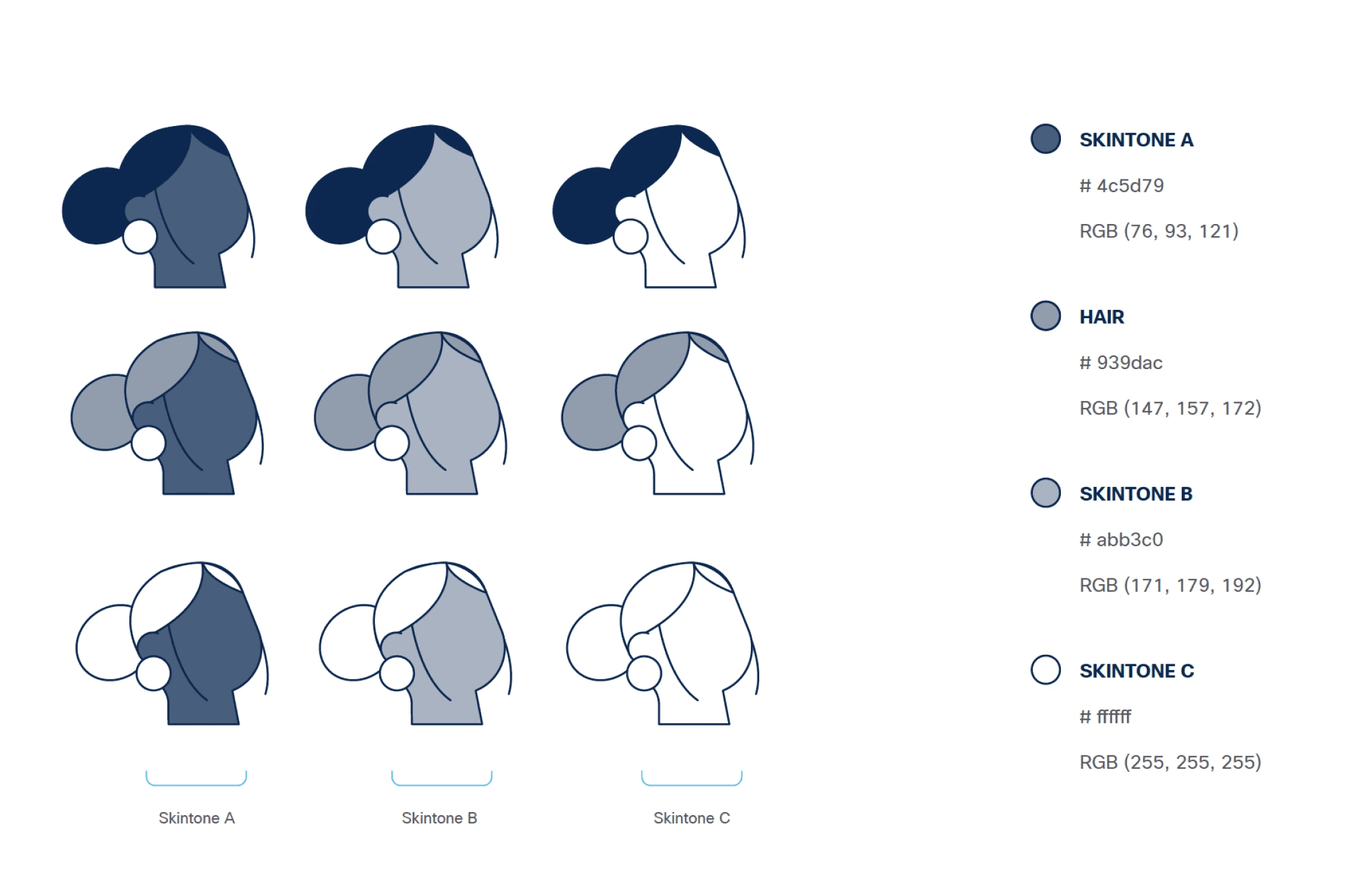
I defined color usage specifically for empty/error states to ensure:
Strong contrast in both light + dark themes
Consistency across all Cisco products
Compliance with accessibility standards
Light & dark palettes were tested and validated for visibility and clarity.
Sketching & Ideation
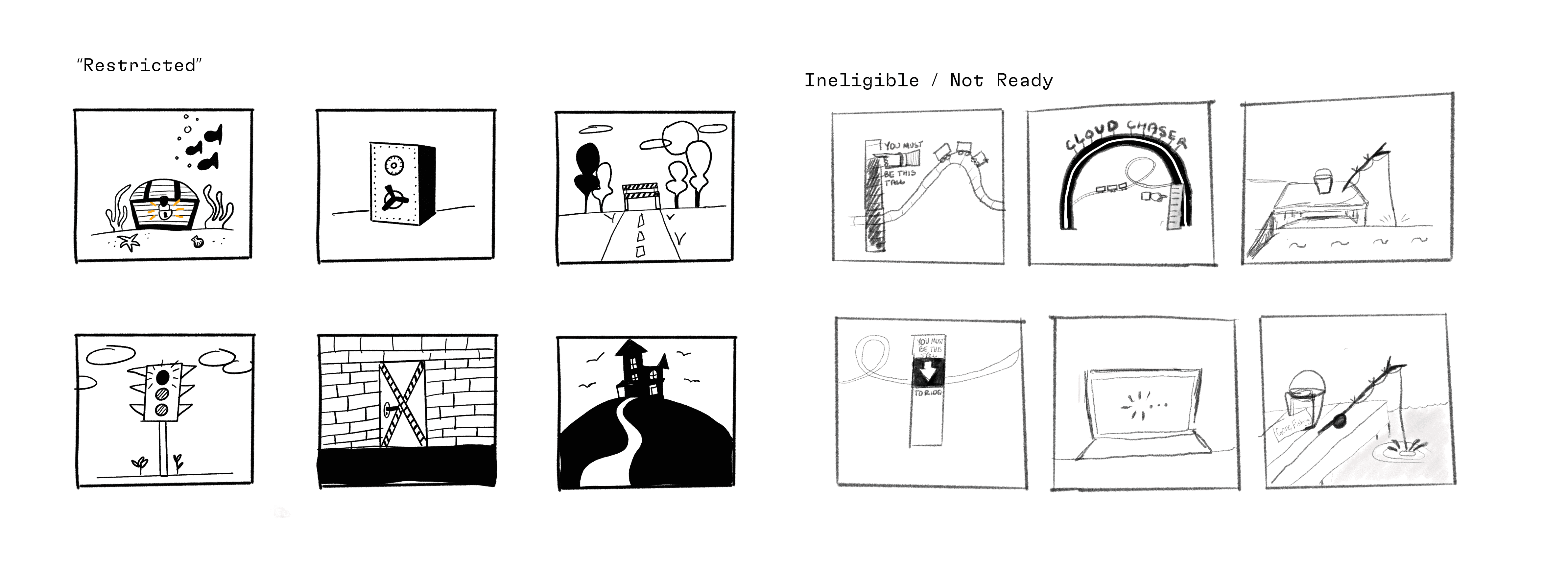
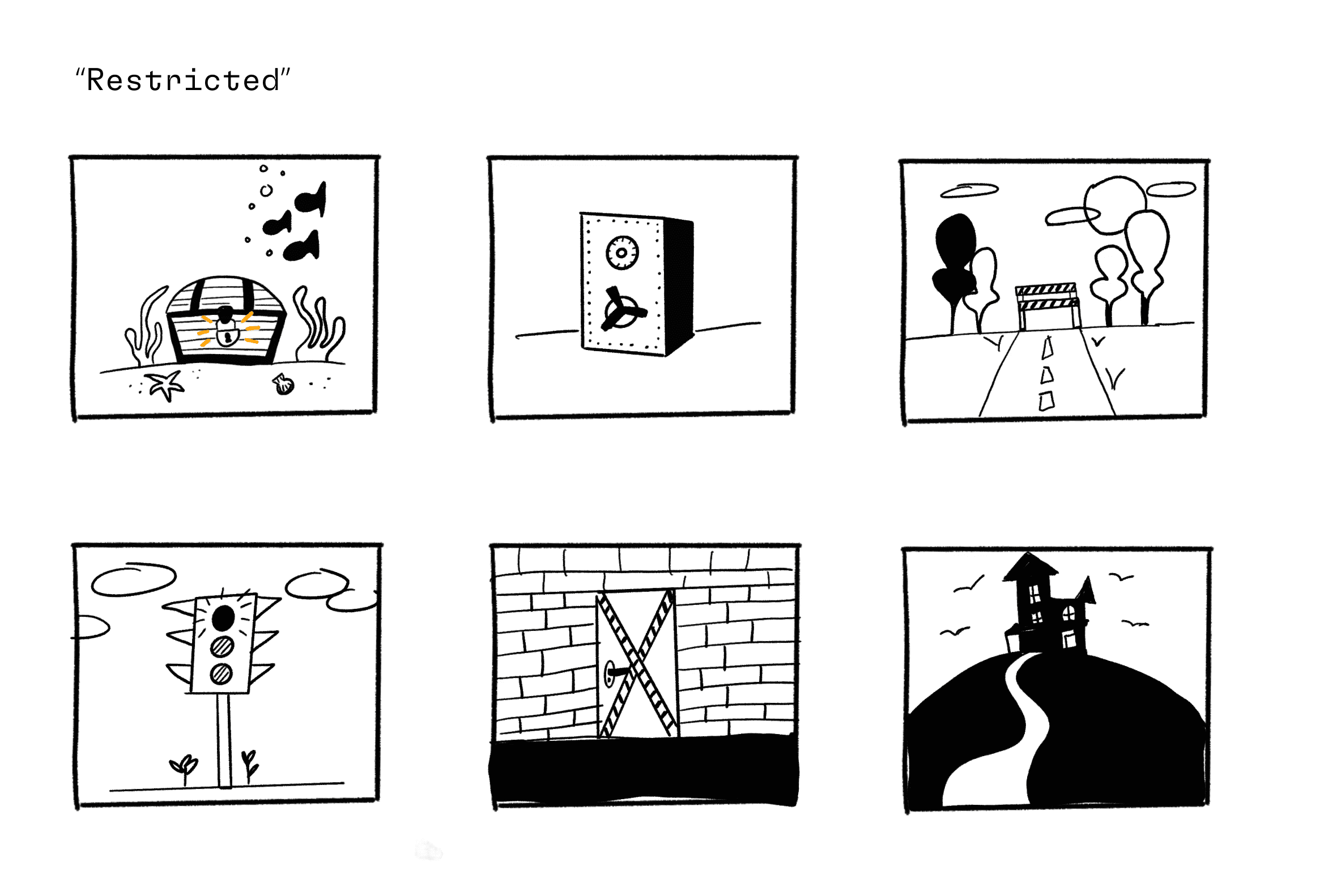
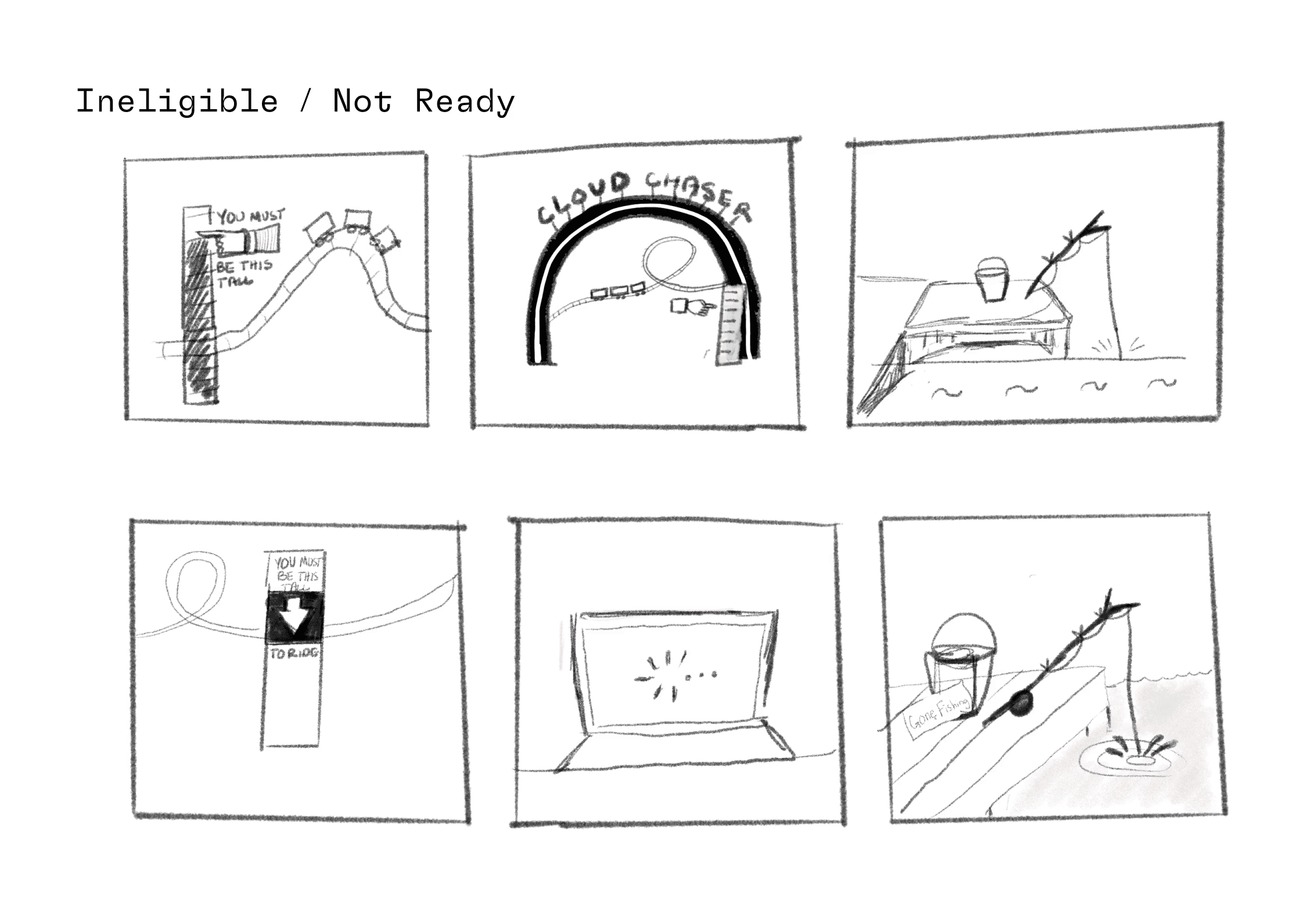
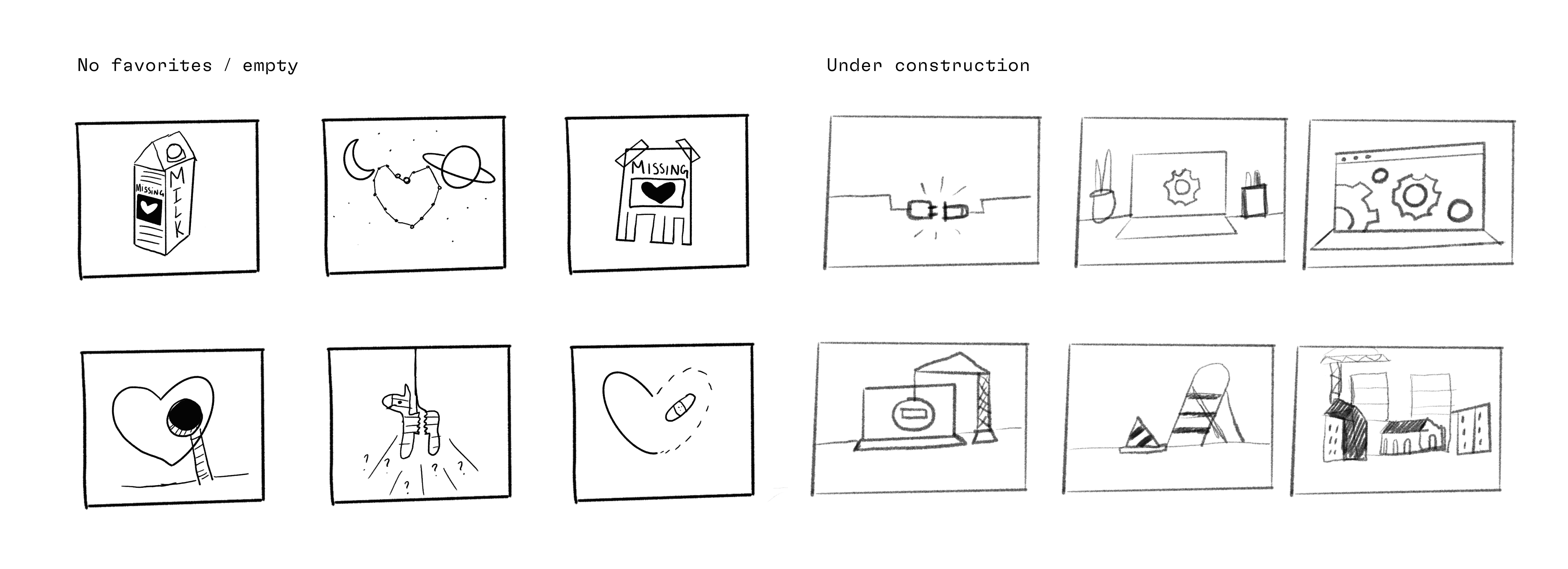
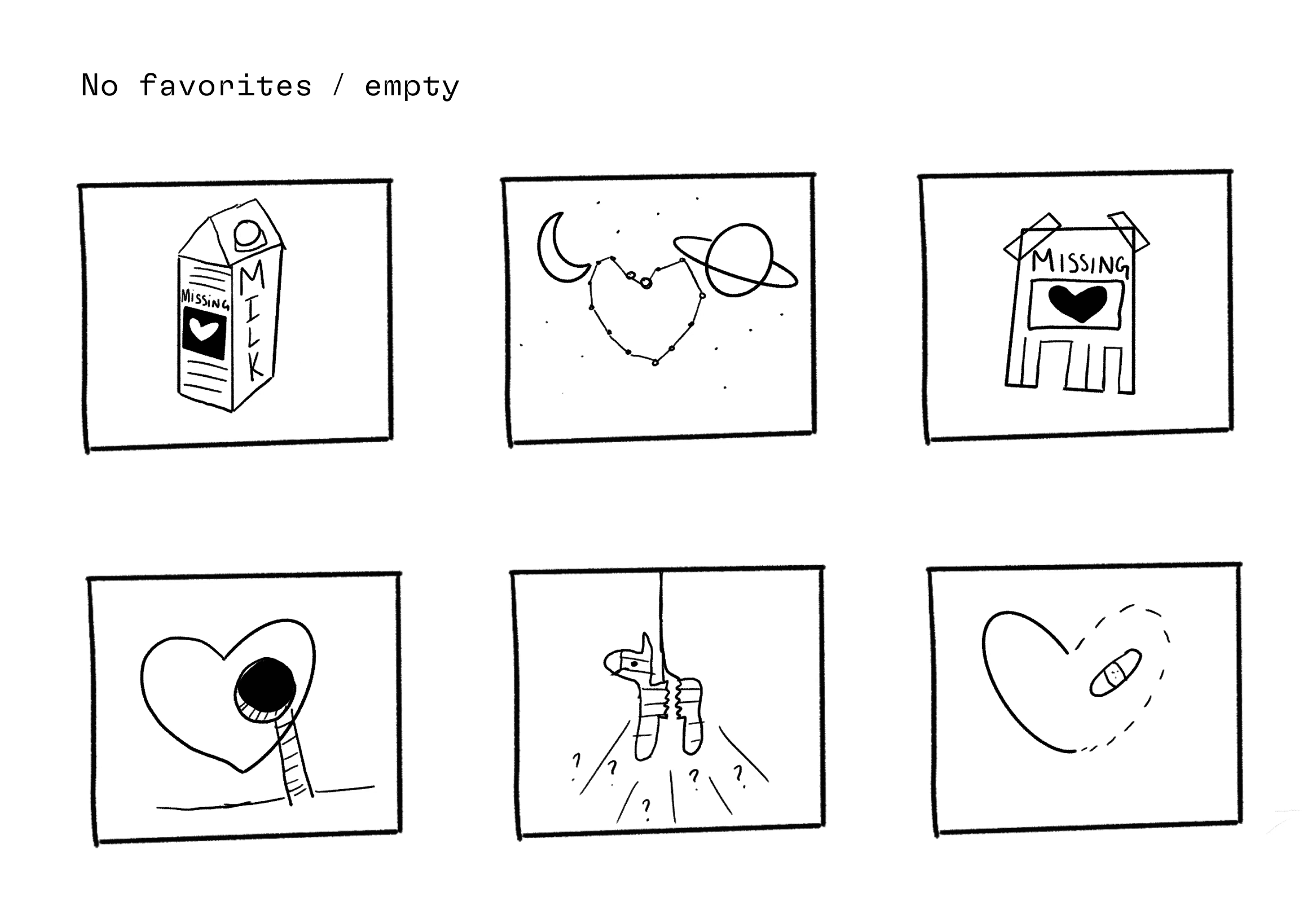
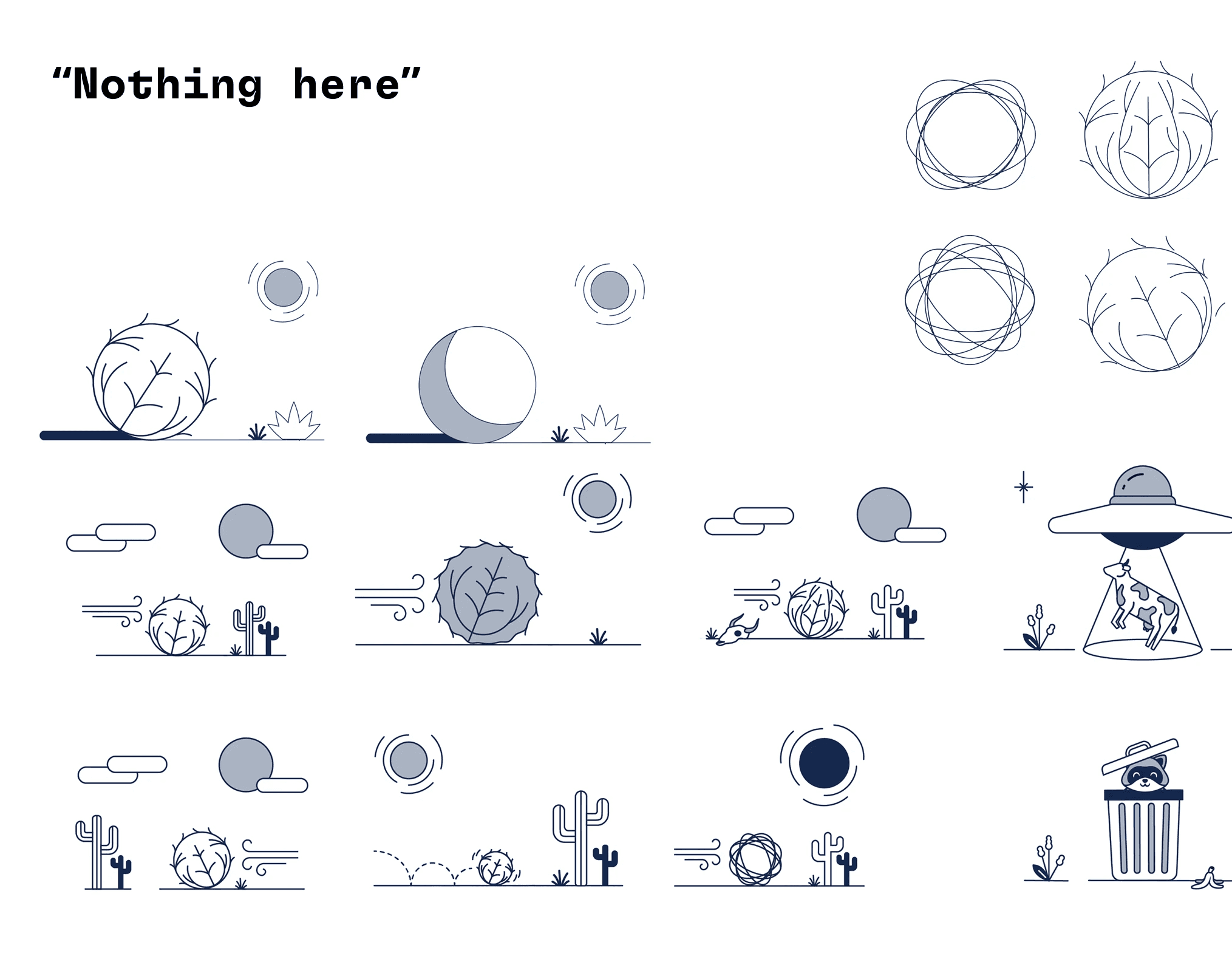
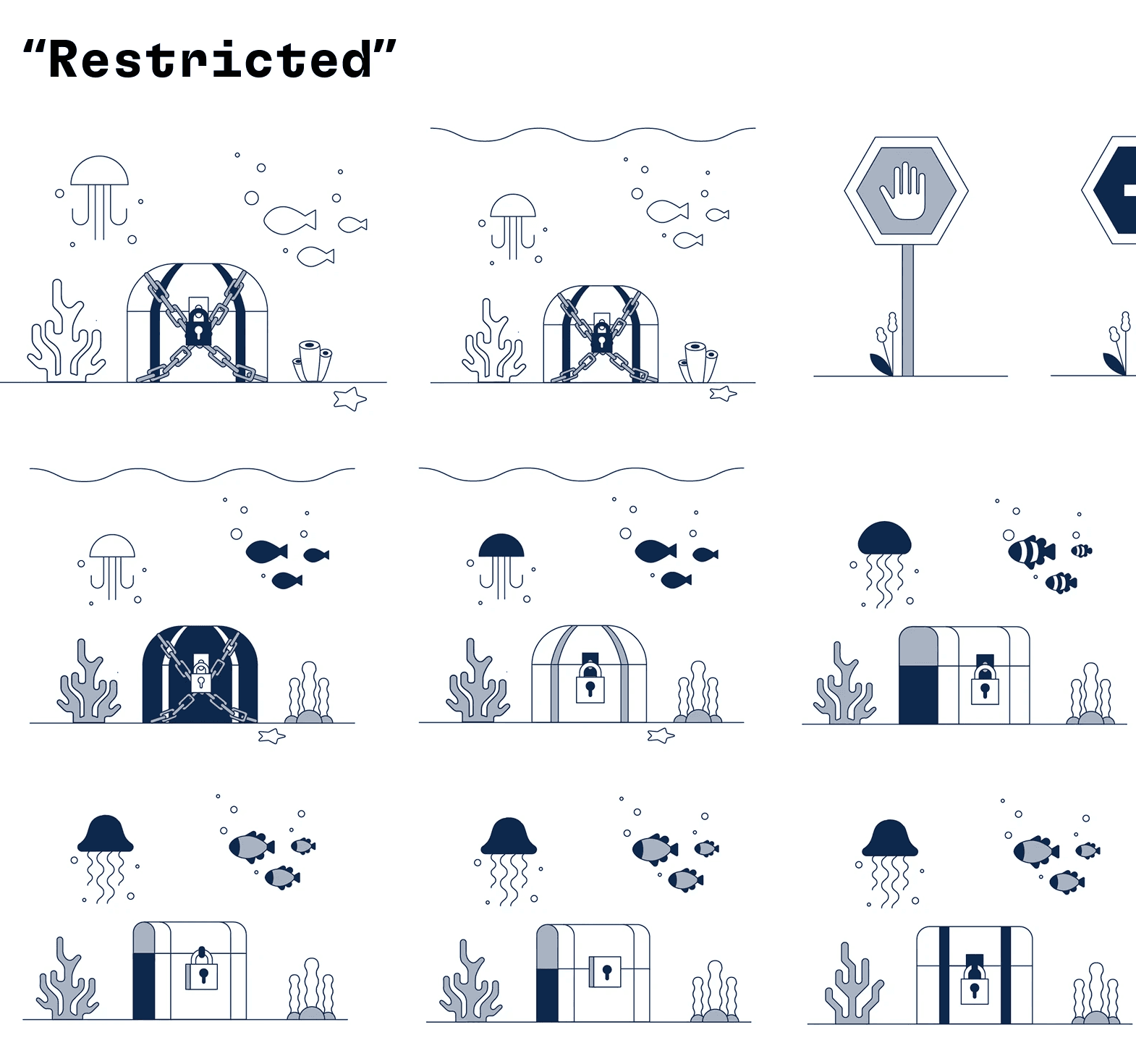
I began with exploratory thumbnail sketches to explore tone, clarity, and metaphor. These helped me quickly test direction and narrative.
Focused on:
Communicating meaning instantly
Keeping tone approachable yet professional
Ensuring scalability across product contexts
Sketching & Ideation
I began with exploratory thumbnail sketches to explore tone, clarity, and metaphor. These helped me quickly test direction and narrative.
Focused on:
Communicating meaning instantly
Keeping tone approachable yet professional
Ensuring scalability across product contexts
Hi-Fidelity System Development
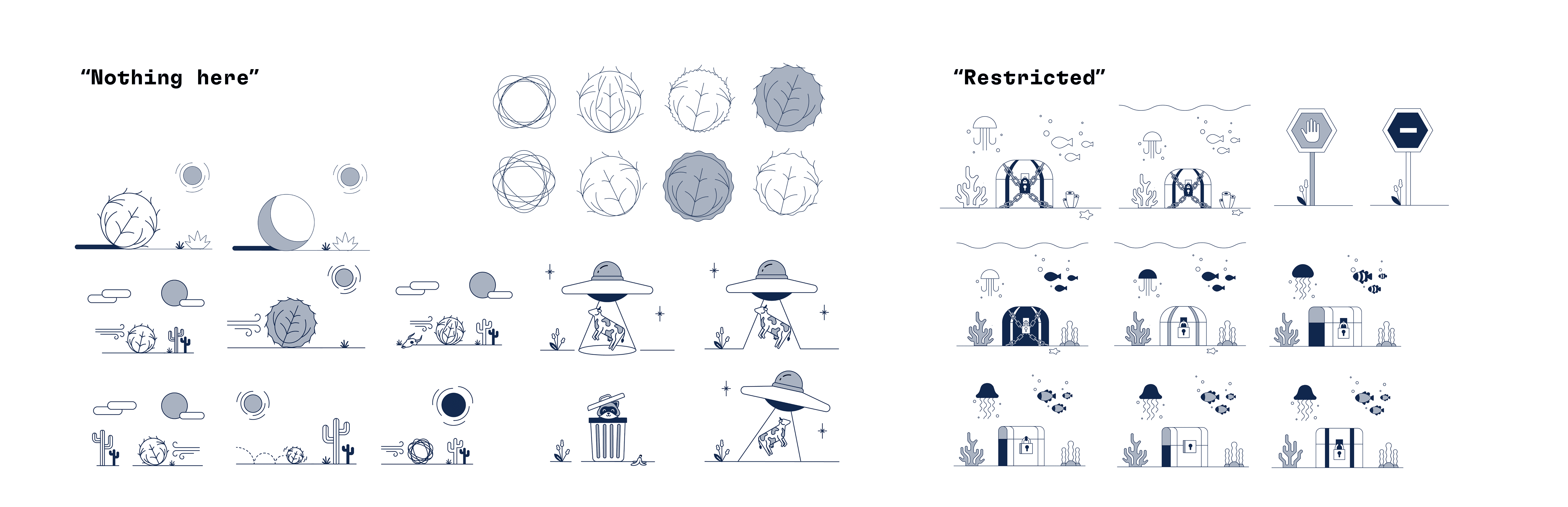
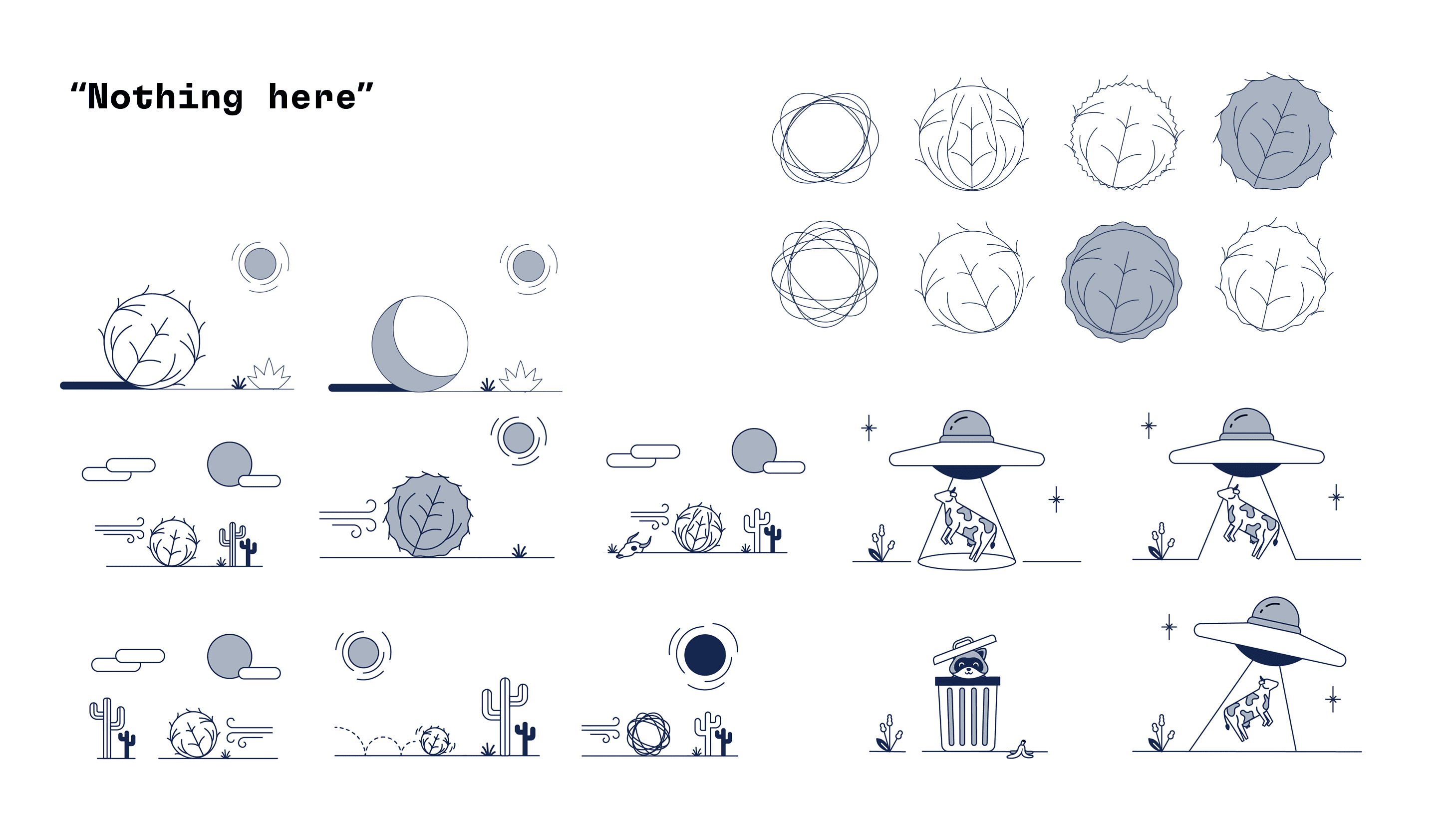
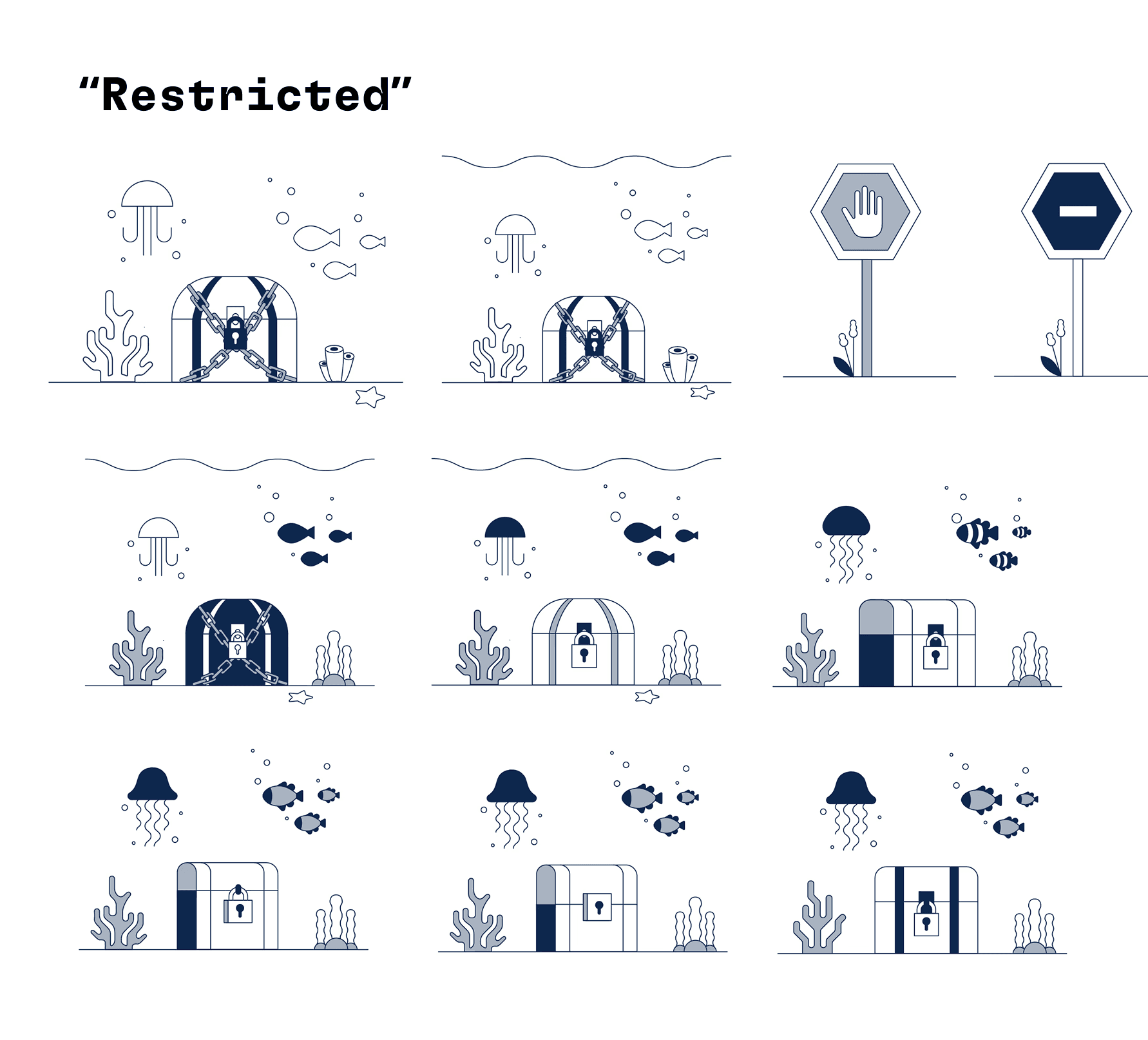
Using sketches as a foundation, I refined them into scalable
vector illustrations.
At this stage, I:
Applied accessibility + contrast standards
Defined consistent structure rules
Ensured sizing adaptability across interfaces
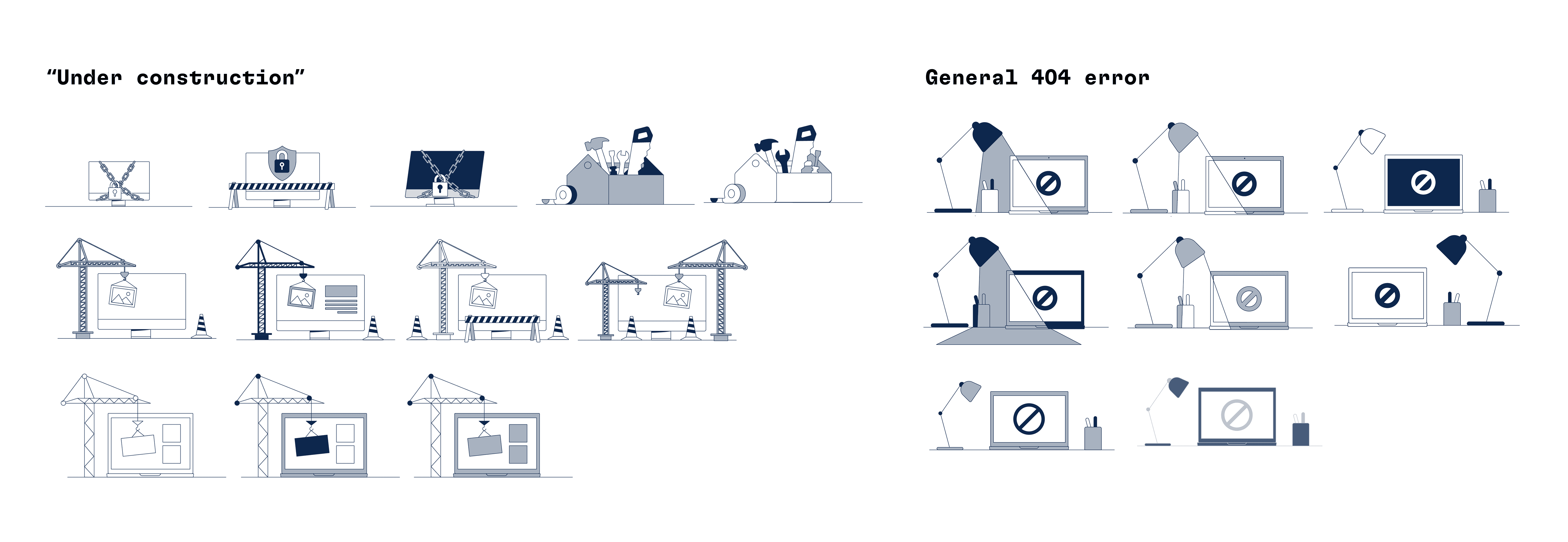
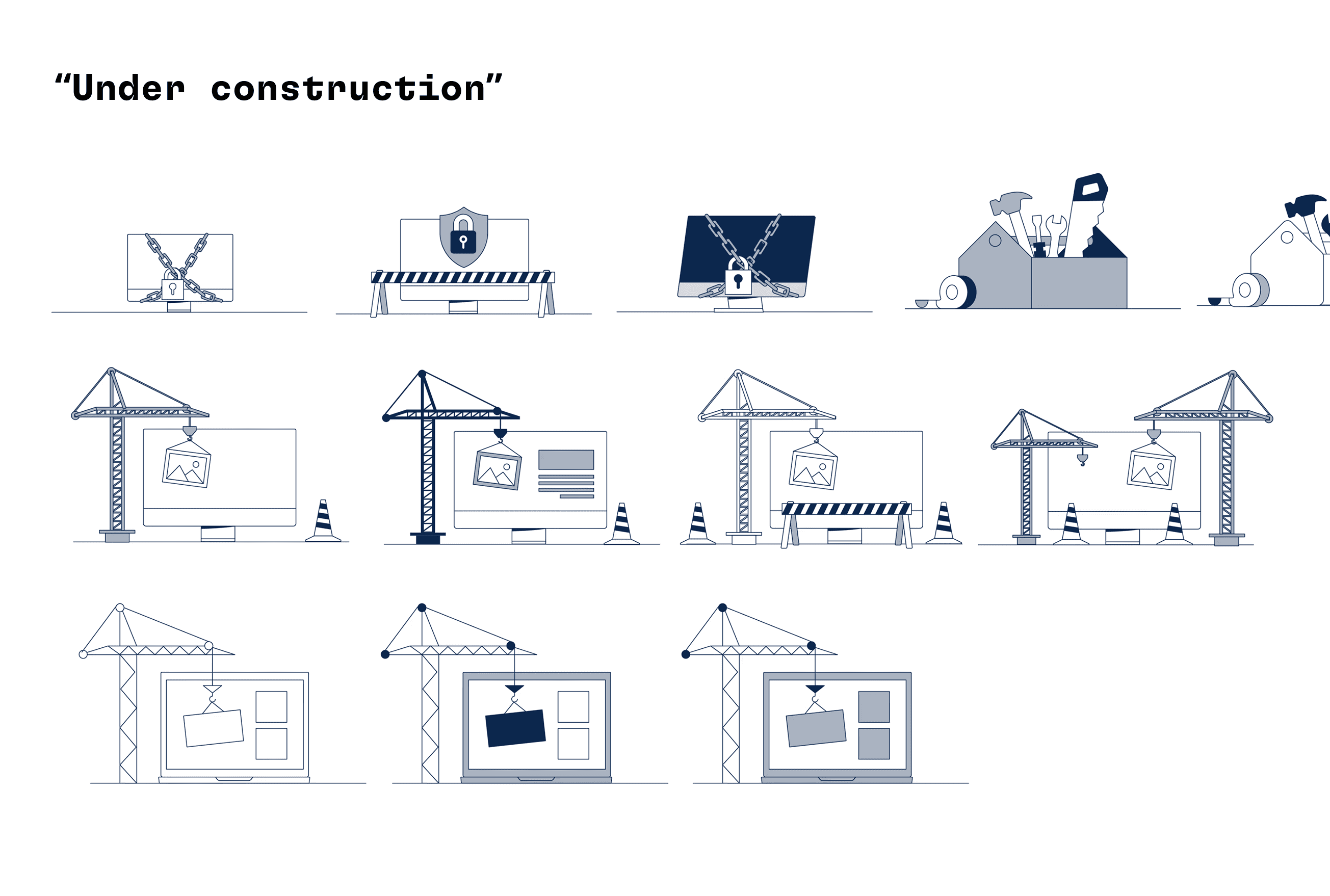
Hi-Fidelity System Development
Using sketches as a foundation, I refined them into scalable
vector illustrations.
At this stage, I:
Applied accessibility + contrast standards
Defined consistent structure rules
Ensured sizing adaptability across interfaces
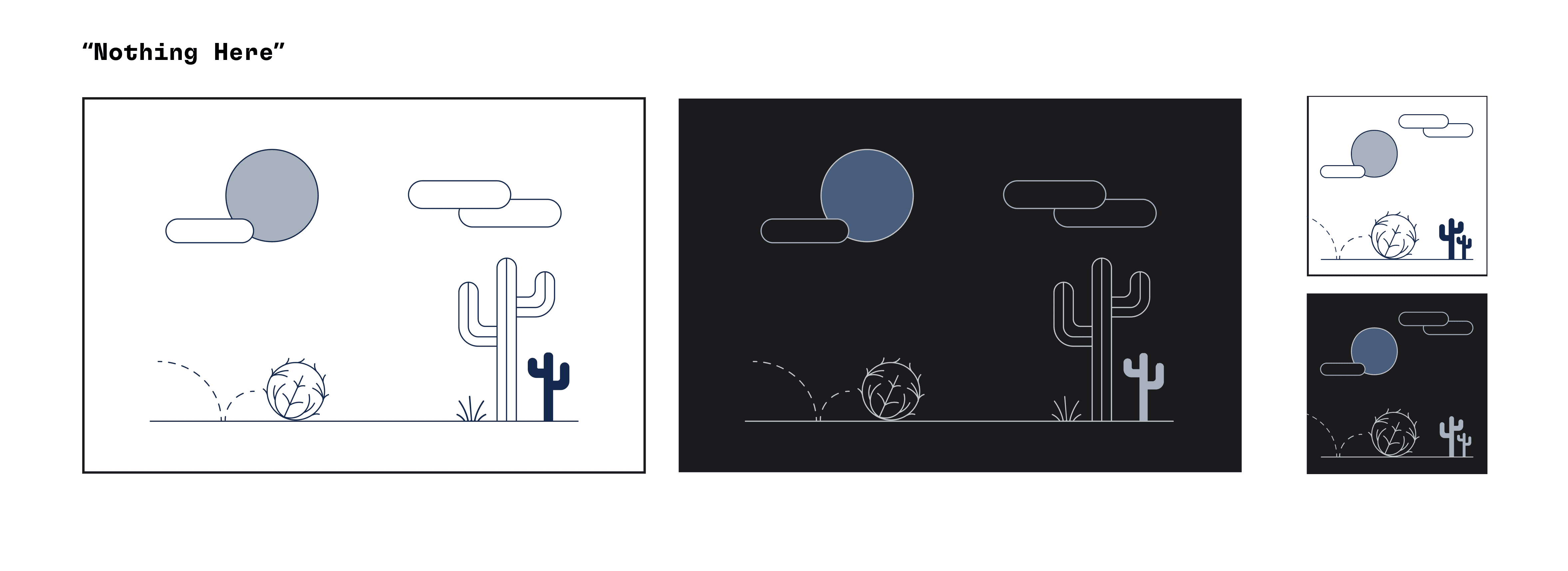
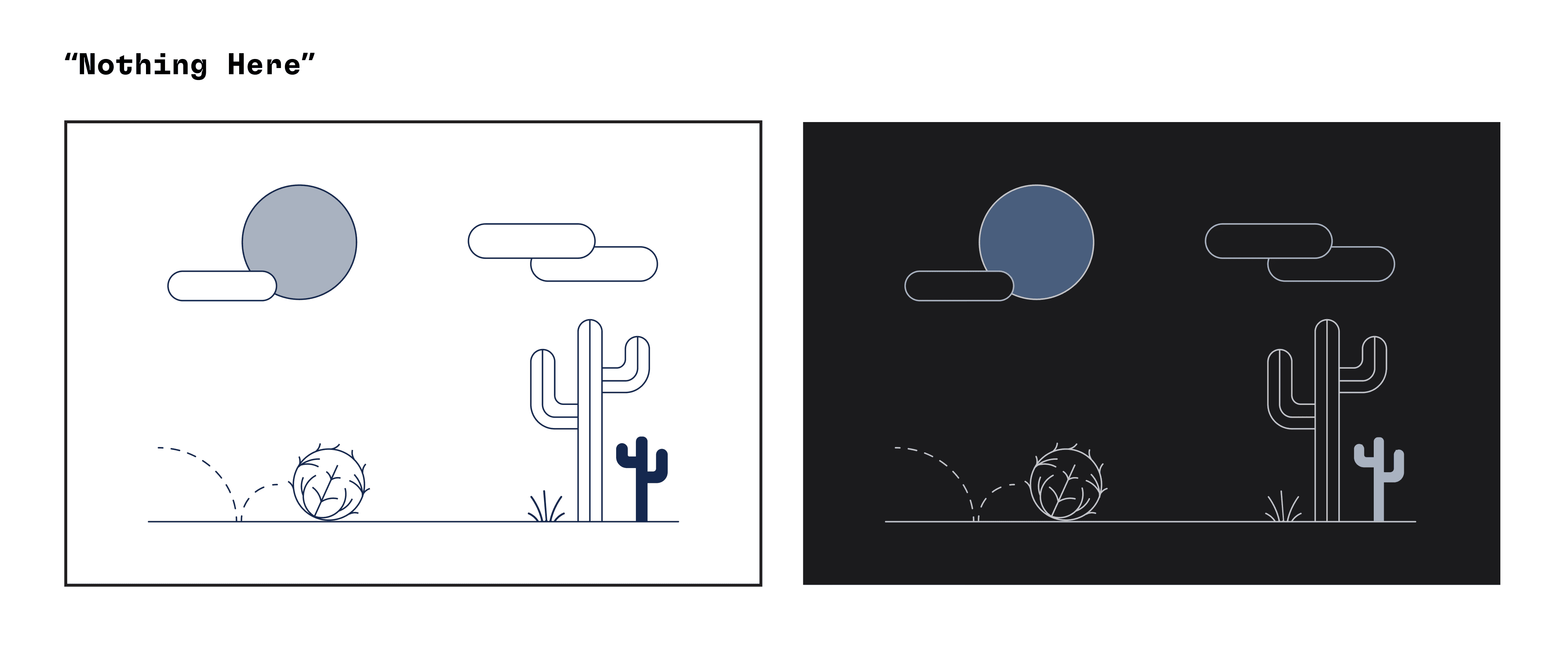
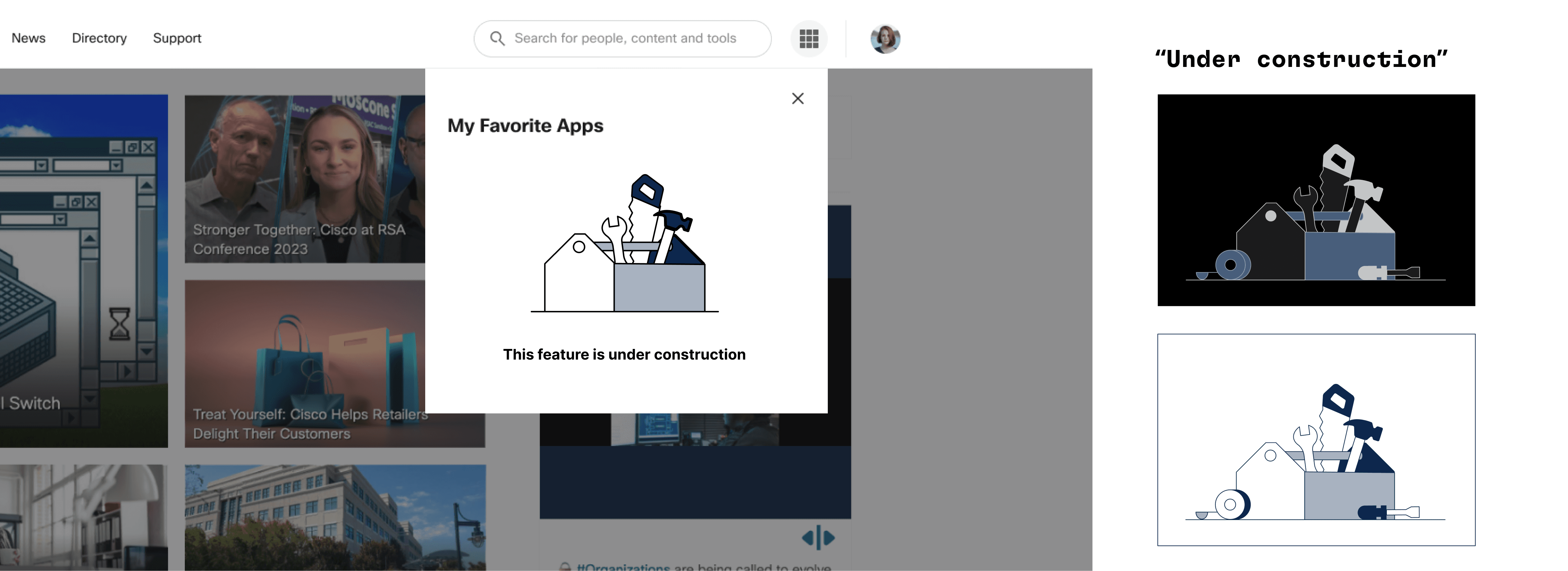
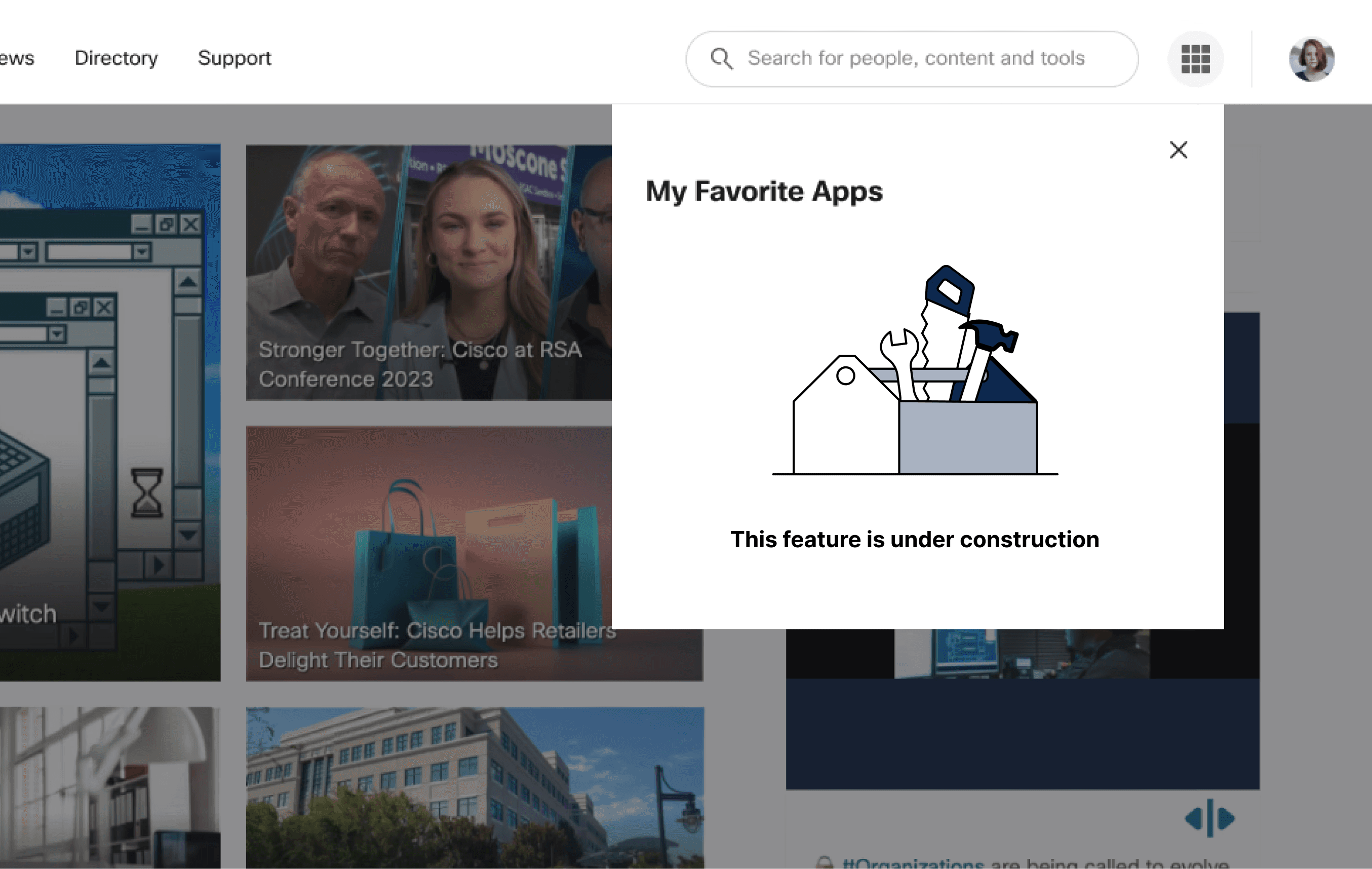
Final System
A cohesive illustration system that:
Works in both light + dark themes
Meets accessibility requirements
Aligns to Cisco’s visual language
Can scale across multiple products + use cases
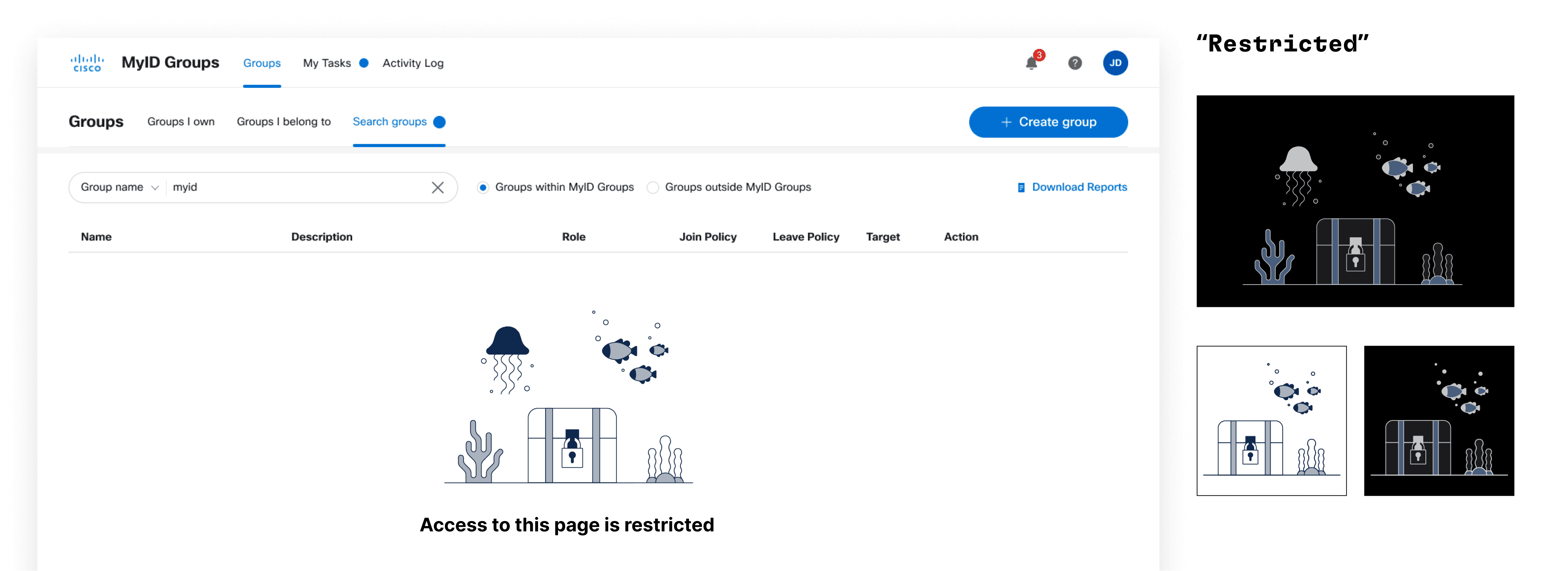
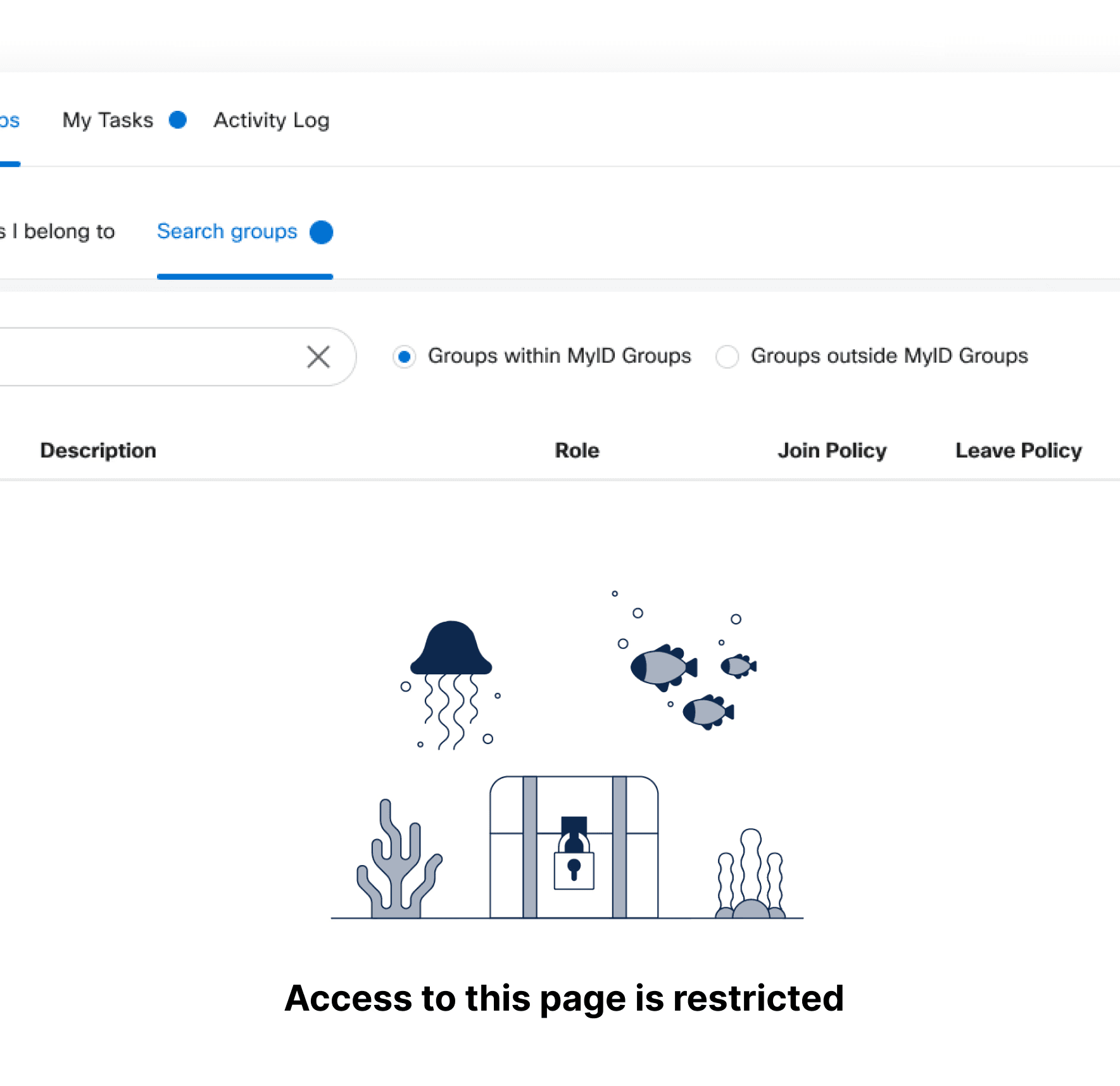
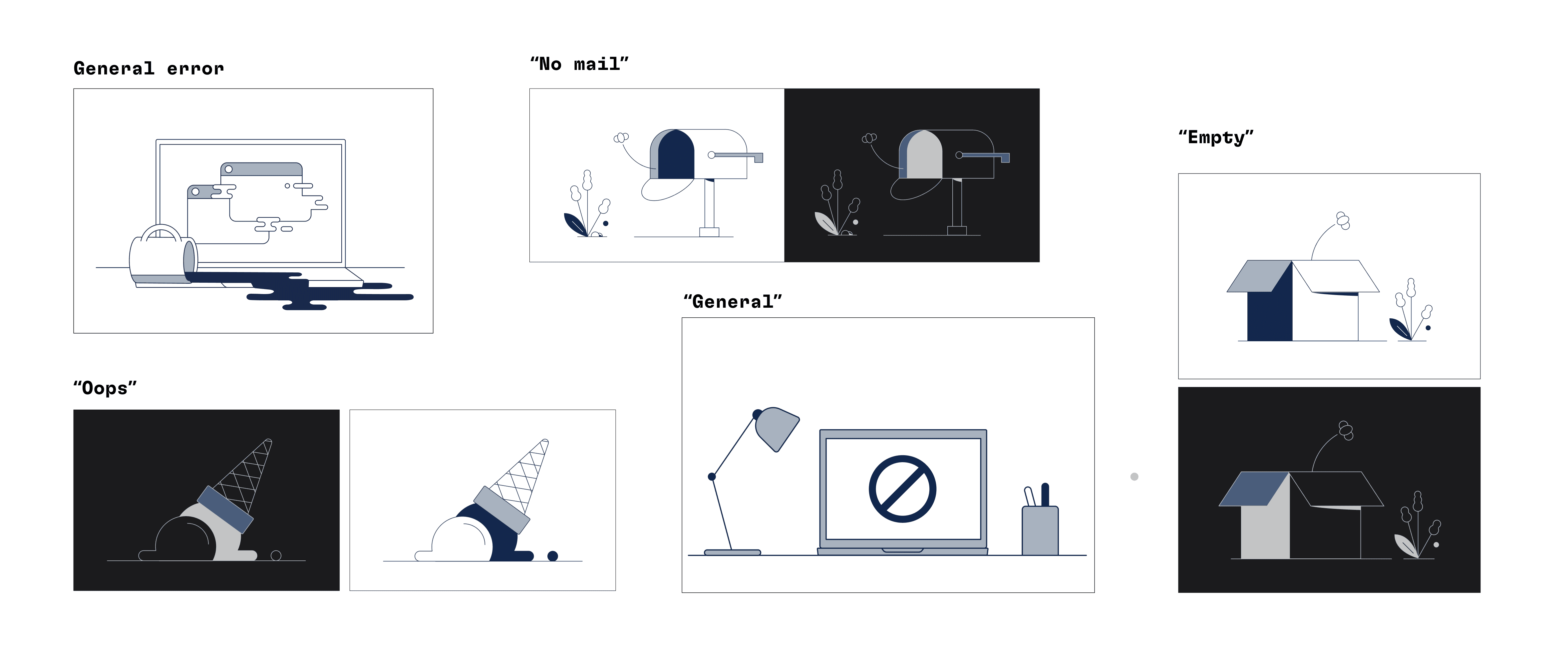
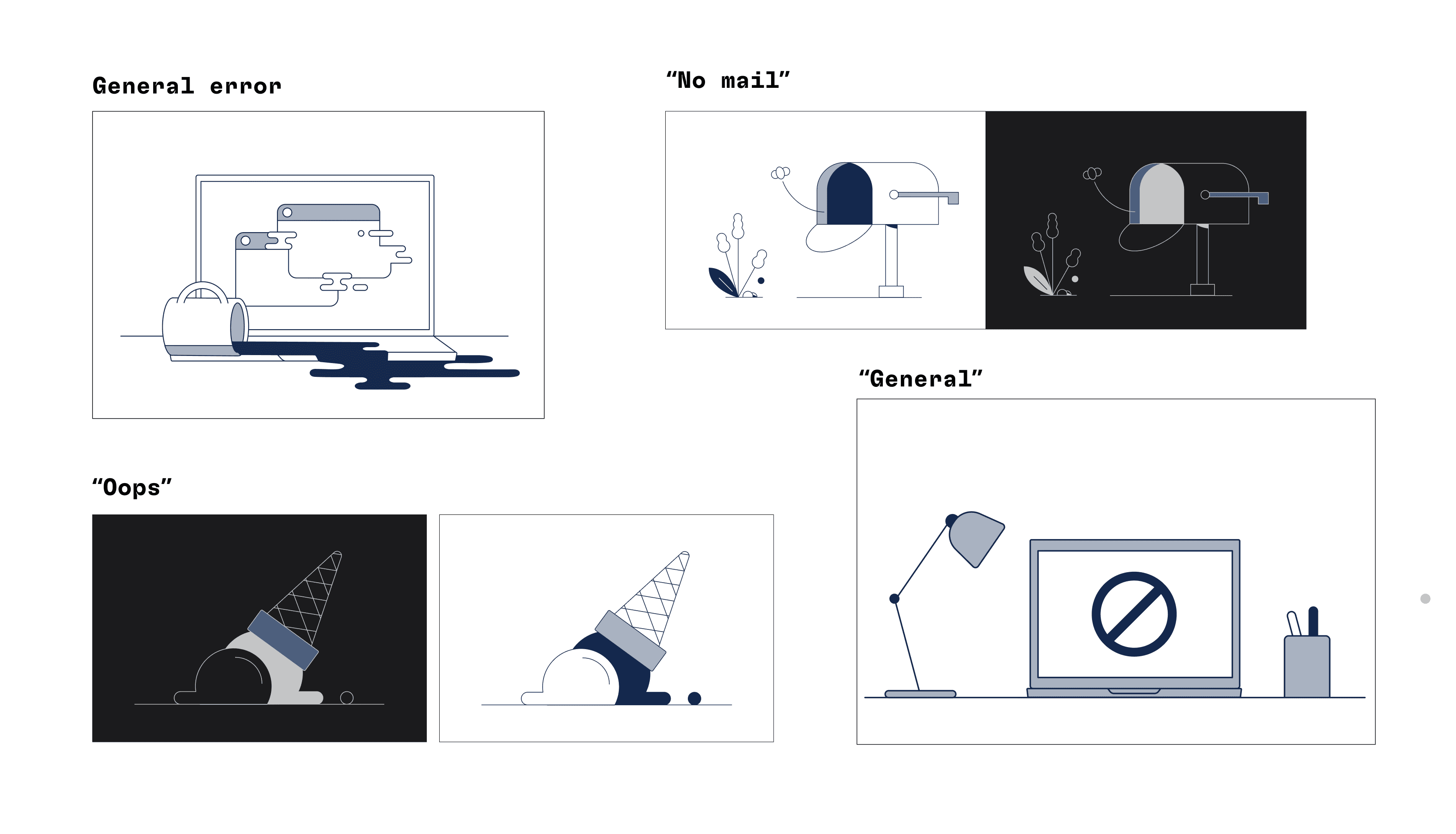
Final System
I began with exploratory thumbnail sketches to explore tone, clarity, and metaphor. These helped me quickly test direction and narrative.
A cohesive illustration system that:
Works in both light + dark themes
Meets accessibility requirements
Aligns to Cisco’s visual language
Can scale across multiple products + use cases
Outcomes & Value
This system:
Created clarity and reassurance in moments of disruption
Reduced inconsistency across Cisco IT experiences
Provided a reusable asset for design teams
Streamlined design workflows
Key takeaway:
Systems thinking + accessibility-led design create stronger, more unified product experiences.
Color & Accessibility
Light & dark palettes were tested and validated for visibility and clarity.
I defined color usage specifically for empty/error states to ensure:
Strong contrast in both light + dark themes
Consistency across all Cisco products
Compliance with accessibility standards
Outcomes & Value
This system:
Created clarity and reassurance in moments of disruption
Reduced inconsistency across Cisco IT experiences
Provided a reusable asset for design teams
Streamlined design workflows
Key takeaway:
Systems thinking + accessibility-led design create stronger, more unified product experiences.
Approach
Design a system, not just illustrations.
Strategy
Understand real use cases and UX needs
Align strictly to Cisco brand + accessibility standards
Build something flexible, scalable, and repeatable
What I did
Audited existing product states
Researched best-practice illustration systems
Collaborated with design partners
Created a structured, testable framework
Sketching & Ideation
I began with exploratory thumbnail sketches to explore tone, clarity, and metaphor. These helped me quickly test direction and narrative.
Focused on:
Communicating meaning instantly
Keeping tone approachable yet professional
Ensuring scalability across product contexts
Hi-Fidelity System Development
At this stage, I:
Strong contrast in both light +
dark themesApplied accessibility +
contrast standardsDefined consistent structure rules
Ensured sizing adaptability
across interfaces
Using sketches as a foundation, I refined them into scalable vector illustrations.
Final System
A cohesive illustration system that:
Communicating meaning instantly
Works in both light + dark themes
Meets accessibility requirements
Aligns to Cisco’s visual language
Can scale across multiple
products + use cases
Outcomes & Value
This system:
Reduce cognitive load
Created clarity and reassurance
in moments of disruptionReduced inconsistency across
Cisco IT experiencesProvided a reusable asset for
design teamsStreamlined design workflows
Key takeaway:
Systems thinking + accessibility-led design create stronger, more unified product experiences.